Kit Builder: Complete Product Kit Management for BigCommerce
Overview
Kit Builder keeps your kit and component inventory in sync automatically. When a kit sells, its components are subtracted. When component stock changes, kit availability is recalculated and pushed back to BigCommerce in real time - preventing overselling without any manual work.
Auto Sync
Component inventory is deducted when a kit sells. Kit availability updates whenever any component changes.
Flexible Kits
Build fixed kits or let customers choose component options - size, color, or any product variant - at the time of purchase.
Order Expansion
Optionally expand kits into individual components on BigCommerce orders, with flexible pricing options.
Kit Types
Standard Kits
A fixed bundle of components in set quantities. Ideal for pre-packaged products where every unit is identical.
- Define components and quantities per kit
- Kit availability = minimum buildable quantity across all components
- Components can have tracked or untracked inventory
Customizable Kits KBI
Customers select component options (e.g. size, color) at checkout. Kit Builder surfaces component product options directly on the kit product page.
- Add a parent product once - Kit Builder exposes all its variants as selectable options (e.g. add "Roses" and customers choose Red, Pink, or White)
- Or restrict to specific variants only - e.g. Pink Teddy Bear in Small and Medium, excluding Large
- Each kit purchase deducts inventory from the exact variant the customer selected
- Component selections are preserved on order line items when the order is expanded
The Kits Screen
The Kits screen lists every configured kit with its SKU and Total Available quantity - the value Kit Builder writes to BigCommerce. Click any row to open the Configure Kit dialogue.
- Add Kit - create a BigCommerce product first, then search for it here and press Create. Inventory tracking must be enabled on the product.
- Refresh - re-checks component stock and recalculates all kit quantities.
- Rebuild Cache - performs a full resync. Use if webhooks have been significantly delayed.

Configuring a Kit
Click any kit row to open the Configure Kit dialogue. Use the Notes field to document assembly requirements, packaging instructions, or any special handling notes for staff.
-
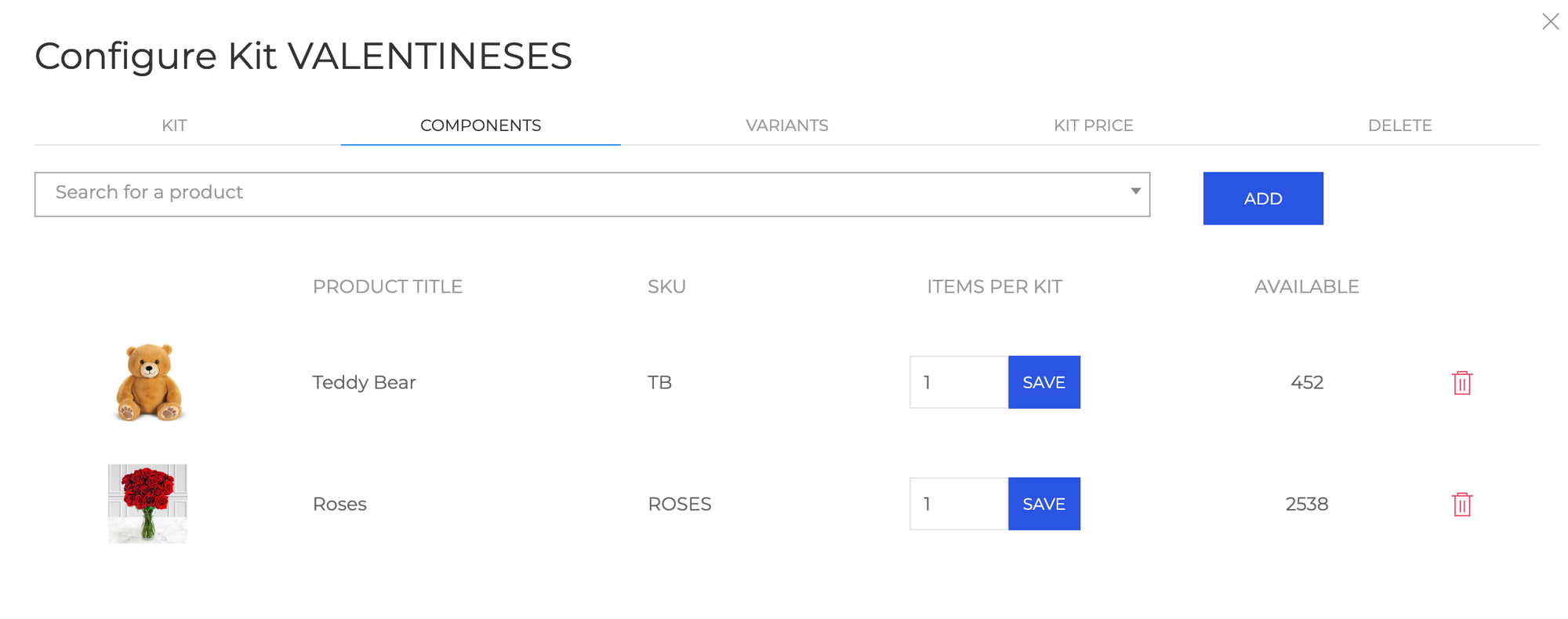
Search for products by name or SKU and add them as components. Set the quantity required per kit (e.g. 2 bottles of wine per gift set). Kit products cannot be nested inside other kits.
For kits with customizable options, you can add an entire parent product to include all its variants, or select specific variants only:
- Add "Roses" to include all color variants - Red, Pink, and White - as customer choices
- Add only "Pink Teddy Bear / Small" and "Pink Teddy Bear / Medium" to restrict the selection, excluding Large
Inventory tracking for components can be set to do not track, track inventory, or track inventory by options in BigCommerce. Tracking is recommended.
![Add components]()
-
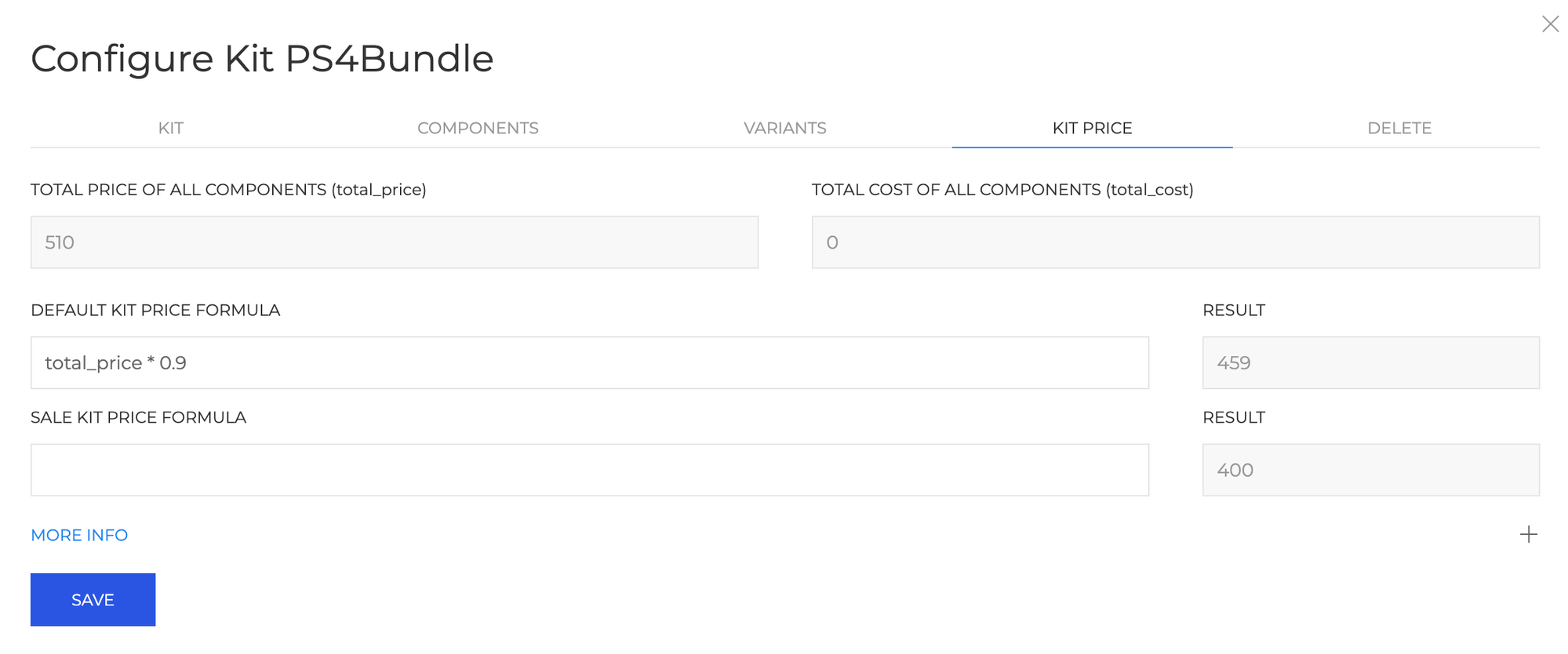
The Kit Price tab lets you set formula-based pricing derived from component prices and costs. Two read-only values are always shown for reference:
total_price- sum of all component retail pricestotal_cost- sum of all component costs
Enter a formula in Default Kit Price Formula and optionally Sale Kit Price Formula. The calculated result is previewed live next to each field before you save.
Example: a formula of
total_price * 0.9sets the kit price to 10% below the combined component retail price.![Kit Price]()
-
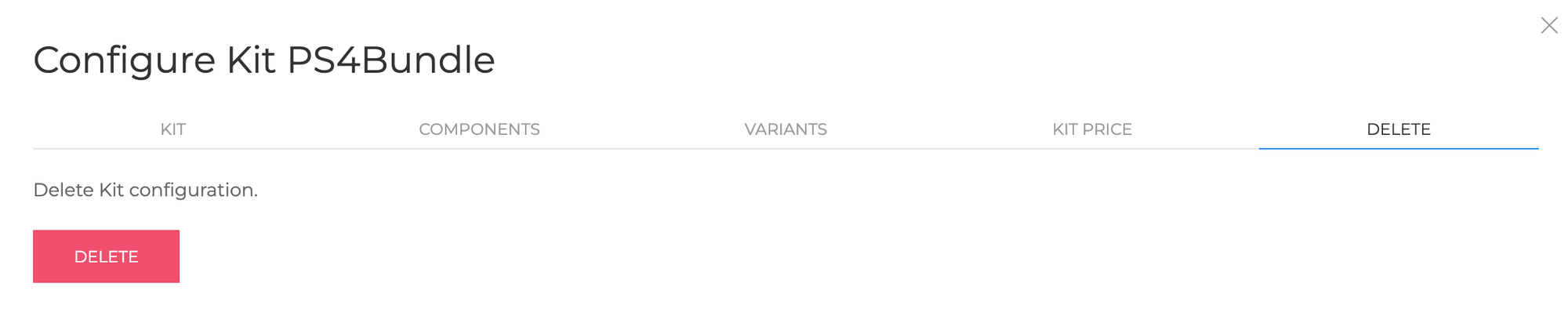
Open the Delete tab inside the Configure Kit dialogue and press Delete to remove the kit. Component products are not affected.
![Delete Kit]()
Order Expansion
Configure how kit line items appear on BigCommerce orders in Settings → Order Handling.
| Mode | Behaviour |
|---|---|
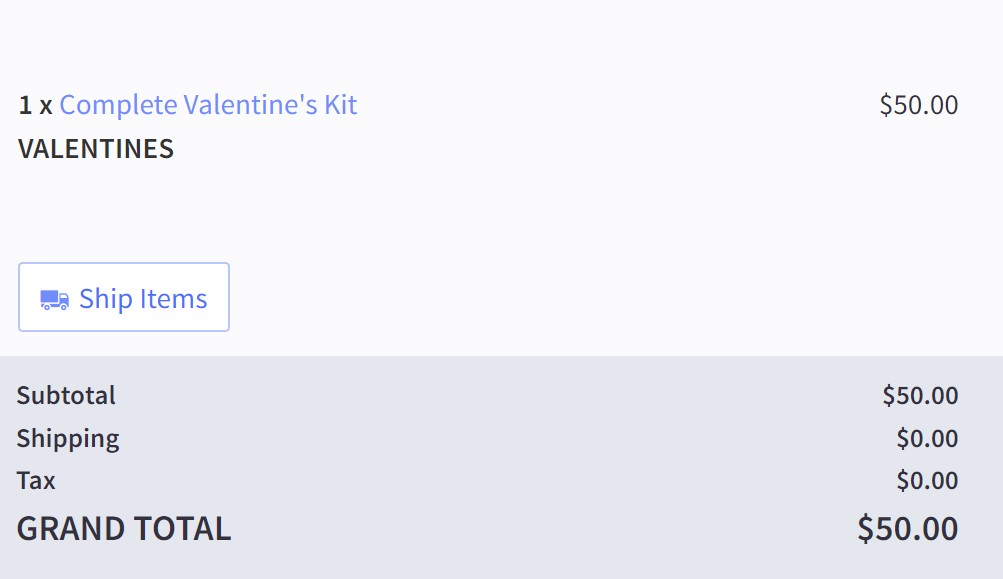
| No change | Kit appears as a single line item. Staff look up components in Kit Builder when fulfilling. |
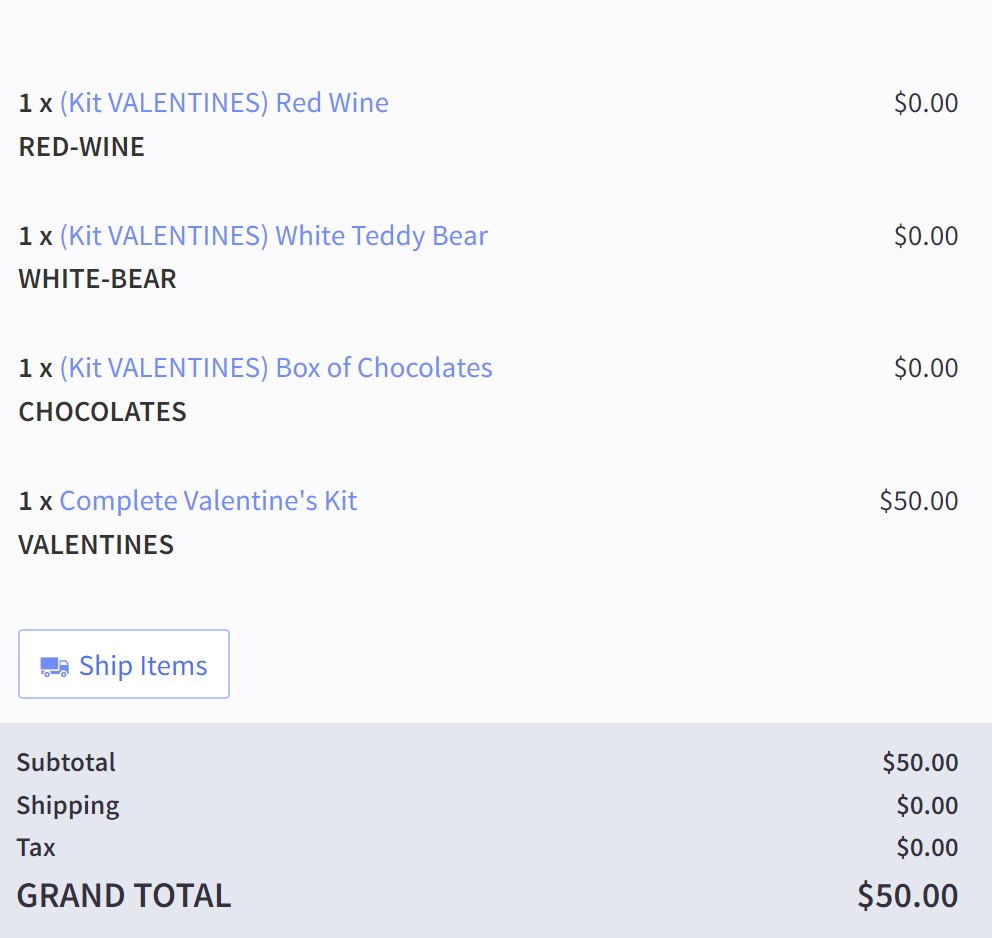
| Expand - zero price | Kit is replaced by its component line items, each at $0. Kit price remains on the original kit line. |
| Expand - weighted price | Kit is replaced by component line items. The kit's total is distributed across components proportional to their individual prices. |
Default - kit only
Components shown
Cancellations & Returns
- When an order containing a kit is cancelled in BigCommerce, Kit Builder returns the components to stock automatically.
- Physically disassemble any already-assembled kits to match the virtual restock.
- Refunds do not trigger a stock return - use Modify Stock in Kit Builder if components need to be restocked after a refund.
Fulfillment
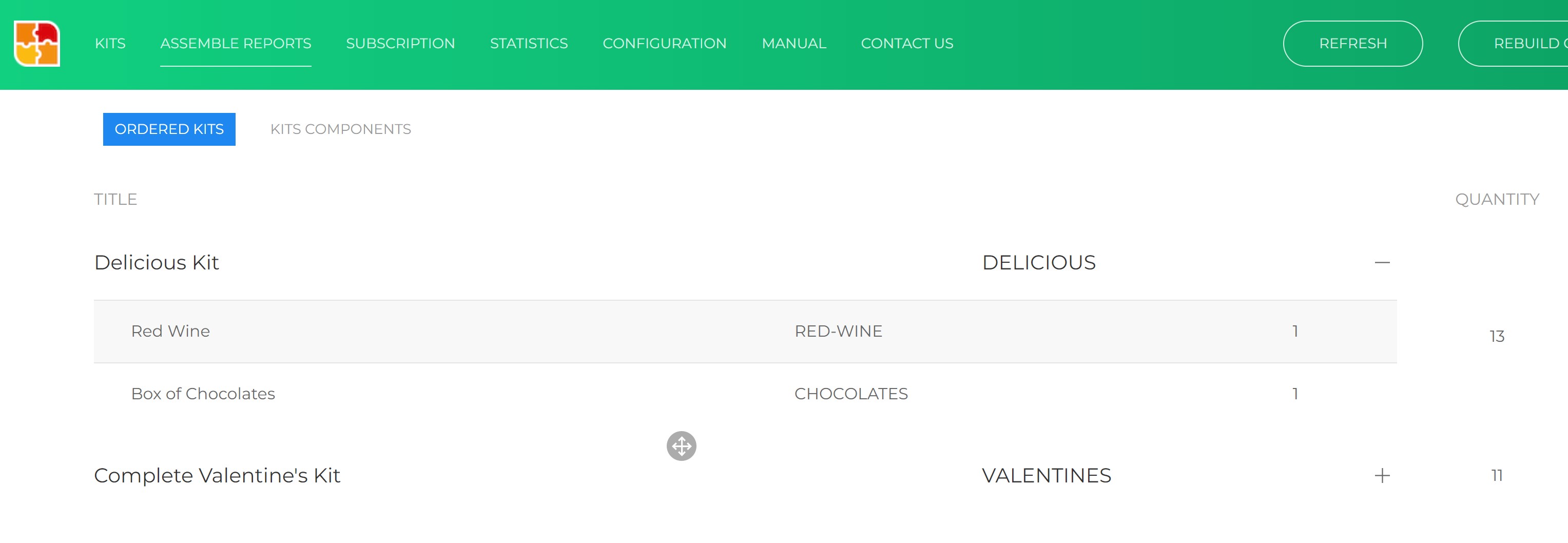
The Assemble Reports tab shows kits that have sold and need assembly. Expand each kit to see required components, or view the flat Kit Components tab for a consolidated pick list across all pending kits.
Kit Builder API
All requests require the header X-Auth-Token: {access_token}.
Create or replace a kit
If a kit with the same SKU already exists, it is replaced with the new components.
POST https://kb-load.anvasoft.ca/api/{store_hash}/kit/create
Content-Type: application/json
X-Auth-Token: {access_token}
{
    "kit_sku": "{kit_sku}",
    "price_formula": "{formula}",
    "sale_price_formula": "{formula}",
    "components": {
        "{component_sku}": {qty},
        ...
    }
}
POST https://kb-load.anvasoft.ca/api/xyz123/kit/create
Content-Type: application/json
X-Auth-Token: your_token_here
{
    "kit_sku": "VALENTINES",
    "price_formula": "total_price / 1.05",
    "sale_price_formula": "total_price / 1.10",
    "components": {
        "RED-WINE":   1,
        "WHITE-BEAR": 1,
        "CHOCOLATE":  1
    }
}
Get all kits
GET https://kb-load.anvasoft.ca/api/{store_hash}/kits
X-Auth-Token: {access_token}
[
  {
    "kit_sku": "VALENTINES",
    "price_formula": "total_price / 1.05",
    "sale_price_formula": "total_price / 1.10",
    "components": {
        "RED-WINE":   1,
        "WHITE-BEAR": 1,
        "CHOCOLATE":  1
    }
  }
]